
Artwork Setup Guide
Supplying your own design? Please make sure the file is correctly sized, clearly labelled and set up for print. Accurate content, suitable image quality and properly prepared artwork will help us achieve the best result.
Our in-house team works with all major design and desktop publishing software. For support with file setup, artwork checks or creating a new design, please contact us.
When ordering several designs or versions, upload the files together in a clearly named ZIP folder or provide one organised multipage PDF.
Our in-house team works with all major design and desktop publishing software. For support with file setup, artwork checks or creating a new design, please contact us.
When ordering several designs or versions, upload the files together in a clearly named ZIP folder or provide one organised multipage PDF.

Proofing
Before uploading, review all wording, spelling, colours, measurements and layout details carefully.
Our pre-press team will examine the supplied files and send a complimentary digital proof before production. We will highlight obvious technical concerns, but responsibility for approving the final wording, design and content remains with you.
Our pre-press team will examine the supplied files and send a complimentary digital proof before production. We will highlight obvious technical concerns, but responsibility for approving the final wording, design and content remains with you.
While Designing…
To help us produce your strut cards correctly, please prepare your files using the following specifications before submitting them.
Artwork setup tips:
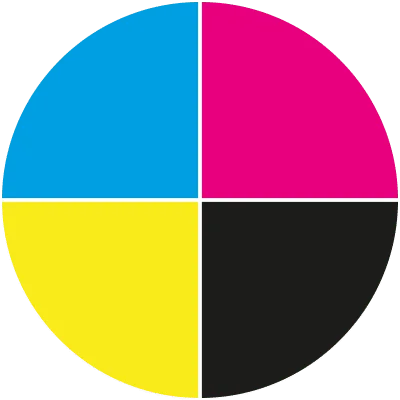
- Set all colours to CMYK rather than RGB.
- Extend backgrounds and images 3mm beyond the cut line.
- Keep important text and logos at least 5mm inside the trimmed edge.
- Create the artwork at the finished size selected when ordering.
- Supply images at a minimum of 150dpi at their printed dimensions.
- Outline all fonts or ensure they are embedded within the file.
- Check that the size, orientation, shape and finishing choices match your order.
- Keep key content clear of cut paths and shaped edges.
- Provide each version as a clearly named file when ordering several designs.
- Multiple versions may also be supplied as an organised multipage PDF.
Printed Banner Artwork
Set up your design at the final dimensions of the strut card being ordered. For the best reproduction, upload a print-ready PDF containing sharp, high-resolution artwork.
Always use the correct template for your chosen size and shape. This will show the bleed, safe area and cutting position, helping prevent important content from being trimmed.
General Guidance
- Confirm the PDF matches the ordered size, orientation and finishing options.
- Review all wording, contact details and spelling before uploading.
- Keep essential design elements within the recommended safe area.
- Only use fonts, photographs and graphics you have permission to reproduce.
- Low-resolution or incomplete files may require additional design work.
- Download the relevant strut card template from our Templates page.